KCTL student attendance app
Kings County Tennis League (KCTL) is a 501(c)(3) non-profit dedicated to providing free tennis instruction and other programming to youth living in and around Brooklyn Public Housing. KCTL site leaders need to take attendance as students arrive for their tennis session, among their other tennis- and education-related responsibilities. Currently, most site leads track student attendance via Google Sheets on their smartphone during sessions. Small font sizes, difficulty scrolling through long lists of names, and poor mobile usability create significant friction in the check-in process. A few site leads resort to checking off names on a paper printout, then input attendance later on from their laptop (which requires additional time), since the Google Sheet is not optimized for this mobile use case.
My Role:
As a UX designer and KCTL volunteer, I set out to rapidly prototype a solution to address the site leads’ primary technical pain point (student attendance tracking).
Approach Summary:
I first learned of the site lead pain point through a user research discussion with the KCTL program manager who summarizes his role as “simplify the site leaders’ lives as much as possible.” Following that interview, I challenged myself to turn around a clickable prototype as quickly as possible that we could bring to site leads for usability testing and feedback. To rapidly prototype a mobile-responsive web application—specifically one that’s optimized for real-time attendance tracking on smartphones and tailored to the KCTL site lead workflow—I took the following approach:
Drafted a PRD in collaboration with Claude.
Created a preliminary data model and a mock dataset, also using Claude.
Note, I intentionally took a JSON-first approach to “separate the concerns” of data model and UI.
Provided the context of the PRD, basic branding guidelines, and the mock data to Figma Make.
Tested the initial draft myself, as if I were a site lead, and provided feedback to Figma Make to iterate together, little by little, to prepare the prototype for usability testing.
Developed a research plan and guide for usability testing with site leads (also accelerated with the use of ChatGPT). The goal of this preliminary research is to stress-test whether this tool should exist.
Design Highlights
-
![]()
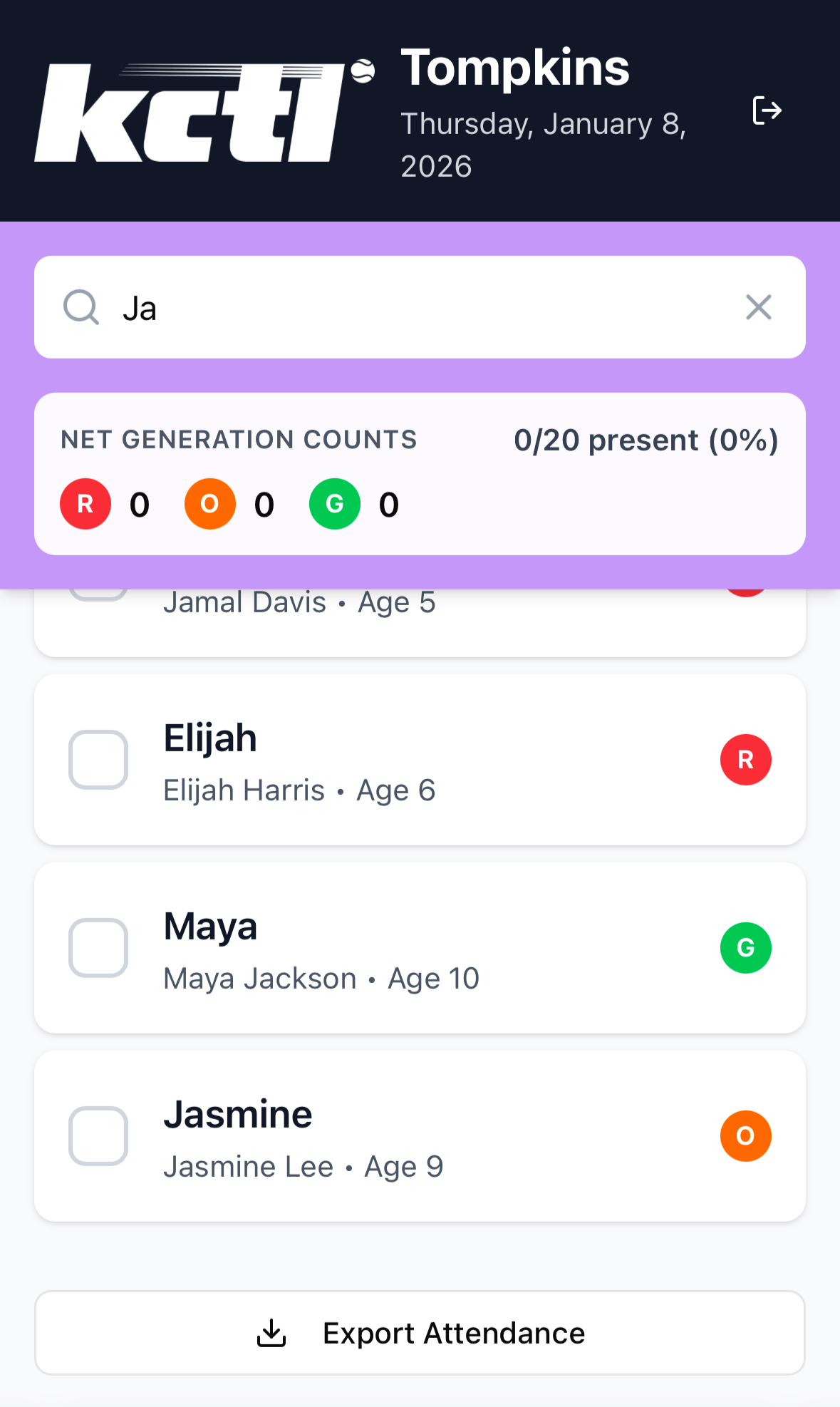
Search & Export
I incorporated a search feature as an alternative to scrolling through the list of names to check in a student. In addition, I created an “Export Attendance” button/feature for sharing the information with the Program Manager. For the purposes of the prototype, I decided to keep this lightweight (clicking the button exports the data to a spreadsheet for the site lead to download and send to the Program Manager). Future app iterations will likely incorporate further features to finalize and submit attendance for a given session.
-
![]()
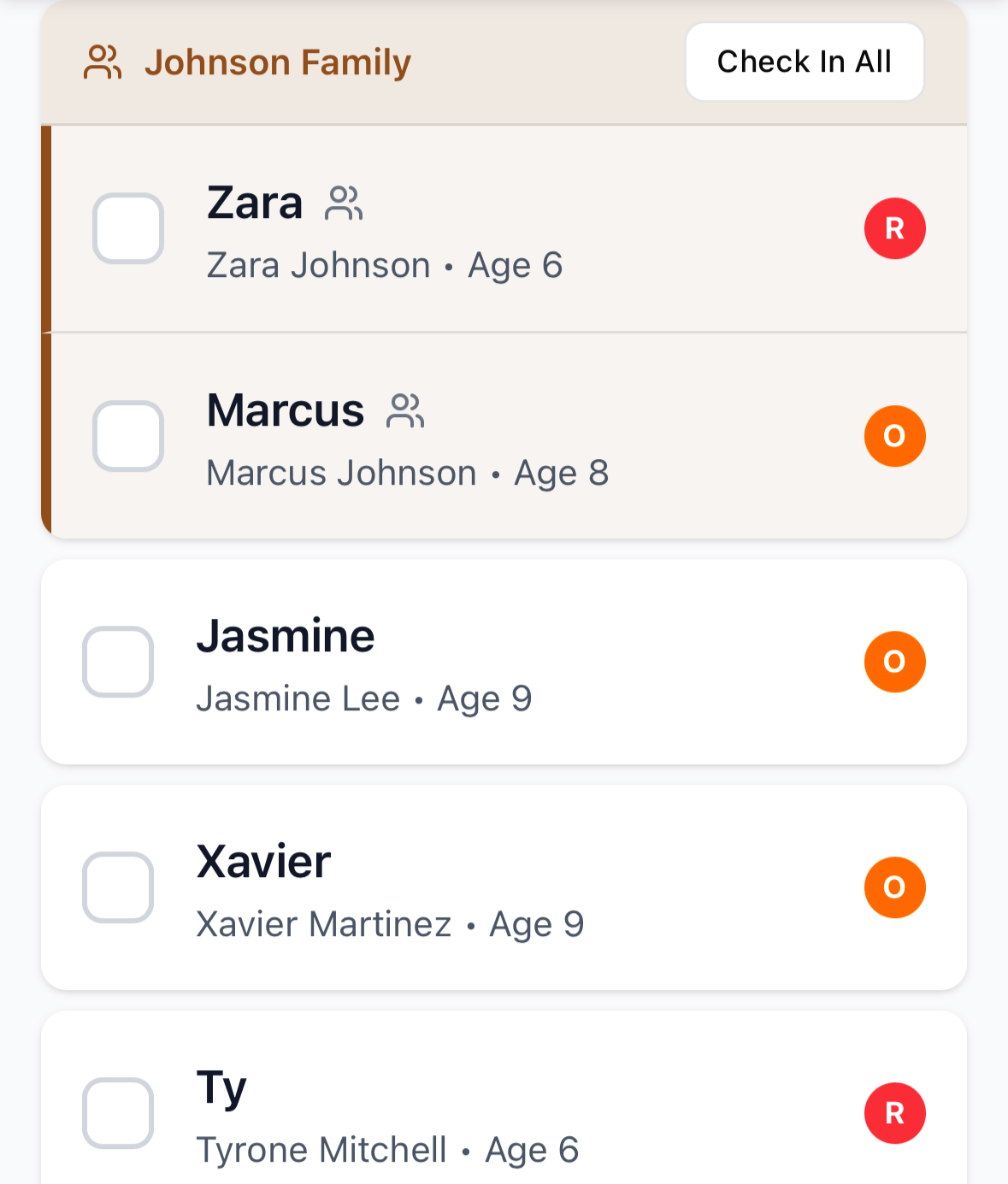
Family Grouping
I created the concept of a family unit for the prototype to help site leads check in siblings, who often arrive together, in a single click. I plan to confirm the utility of this through user interviews with site leads.
-
![]()
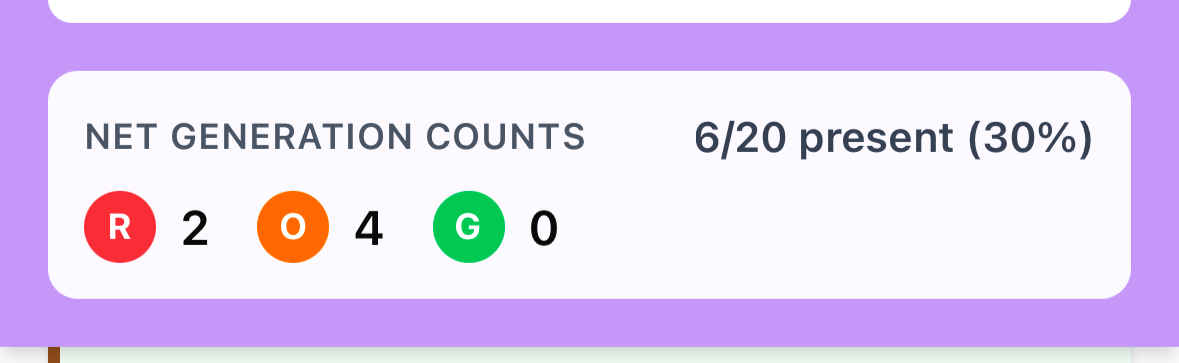
Counter Bar
The dot icons represent the different groups that students are broken into based on age and skill level: Red (R), Orange (O), and Green (G) ball groups. (These classifications come from the USTA’s Net Generation model for youth tennis.) The counts and percent of students present dynamically update as students check in. This is a potential first step towards helping site leads break out students across the courts or into other groups, if research validates that site leads find this type of functionality useful.
-
![]()
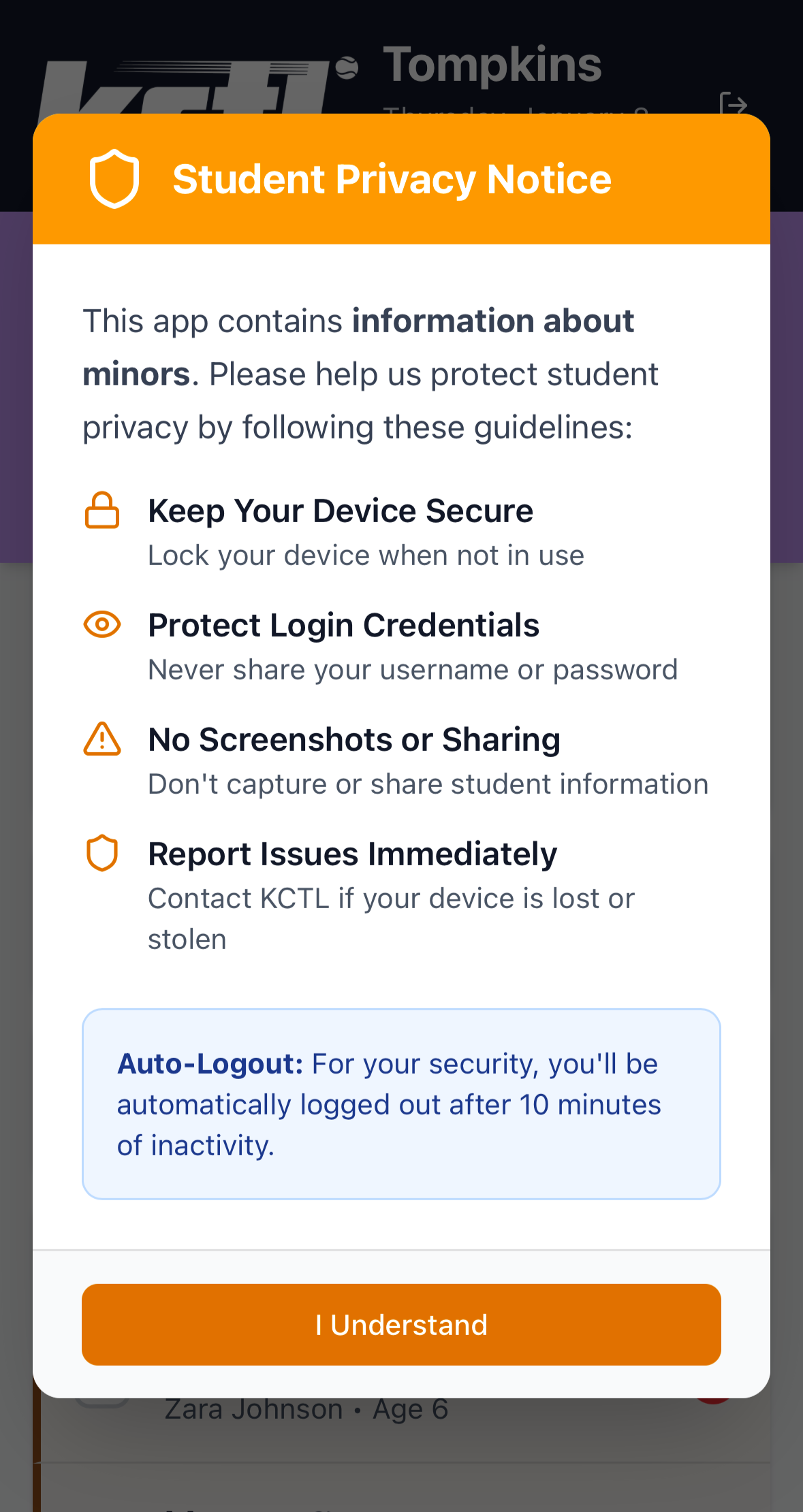
Privacy Notice
Upon log-in, site leads see a privacy notice to reinforce the importance of protecting students’ Personally Identifiable Information (PII). Note, the prototype uses mock data.
Next Steps:
I am currently in the process of reviewing the initial prototype with KCTL stakeholders and users. From there, I plan to incorporate insights from usability testing and build out a functional web app, using Figma Make’s Supabase integration, for piloting with a KCTL site.
What I'm Proud of:
This project is an additional way of contributing my experience to KCTL, an organization that is meaningful to me and my local community. It also represents a successful human-led effort that leverages AI. In particular, this project demonstrates:
Speed to polished design | this project went from the discovery phase (initial insight about the site leads’ pain point) to the design phase (high-fidelity prototype) in <1 business day through my collaboration with AI. That enabled us to get a realistic app experience in the hands of site leads rapidly.
Ability to “see around corners” | From the start, I anticipated risks and requirements for user experience and legal/compliance (e.g., accessibility best practices; safeguards for PII), even though it’s not necessary to fully address these needs in the prototyping stage. I prompted the AI to take these considerations into account and present options to address them, then prioritized which to incorporate into the prototype. The resulting high-fidelity prototype alludes to these considerations in a low-lift way (e.g., includes a privacy disclaimer upon log-in and timeout functionality after a period of inactivity). I also incorporated additional requirements back into the product requirements document (PRD) and backlog to support future product development.